
Document Library
Share important documents in one place.
Keep and share your board documents in one central, secure place.
Product walkthrough
Put the complete document record in one place.
Organize folders, control visibility, and connect documents directly to board work.
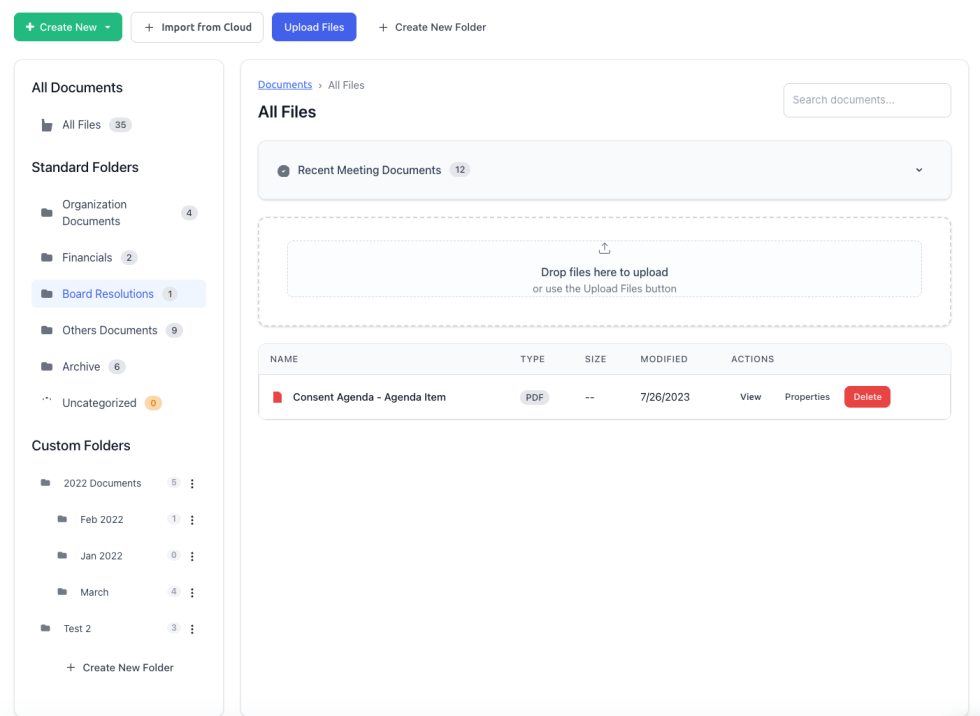
Organizing and sharing key documents with your board shouldn’t be a challenge. BoardSite gives your organization a central, secure place to store and share documents. Instead of emailing sensitive files, upload and share them inside the board portal. You can link documents to meetings, agendas, and votes, so your board reaches the information it needs in one place.
Documents organize into folders so your board can find what it’s looking for, and you can drag and drop to upload and arrange them. Access is role-based, so members see only what they should.
Tied to your board’s memory
Your documents are part of the board’s living record, not scattered across inboxes and drives. On Board OS, the AI Board Secretary can find the right one for you (“where is the final version of the conflict-of-interest policy?”), scoped to each user’s permissions.
Meet the AI Board SecretaryQuestions & answers
Document Library questions
How BoardSite organizes, protects, and retrieves board documents.
How are BoardSite documents organized?
Documents live in structured folders and can be linked to meetings, agenda items, votes, and committees. Version history and access controls help directors find the current approved material.
Who can access sensitive board documents?
Role, committee, folder, and document permissions determine access. Files remain behind BoardSite authentication and are stored in encrypted object storage.
Can BoardSite AI find information without bypassing permissions?
Yes. Board OS can retrieve information from authorized documents, but it cannot search or quote material the person asking is not permitted to see. See AI Board Secretary and Security.