
Video Conferencing Integrations
Video meetings that become usable board records.
Connect Zoom or Microsoft Teams to a BoardSite meeting so members can launch the approved call beside the agenda and materials.
Product walkthrough
Launch the meeting without leaving the board record.
An approved Zoom or Microsoft Teams link appears beside the agenda, documents, discussion, and notes.
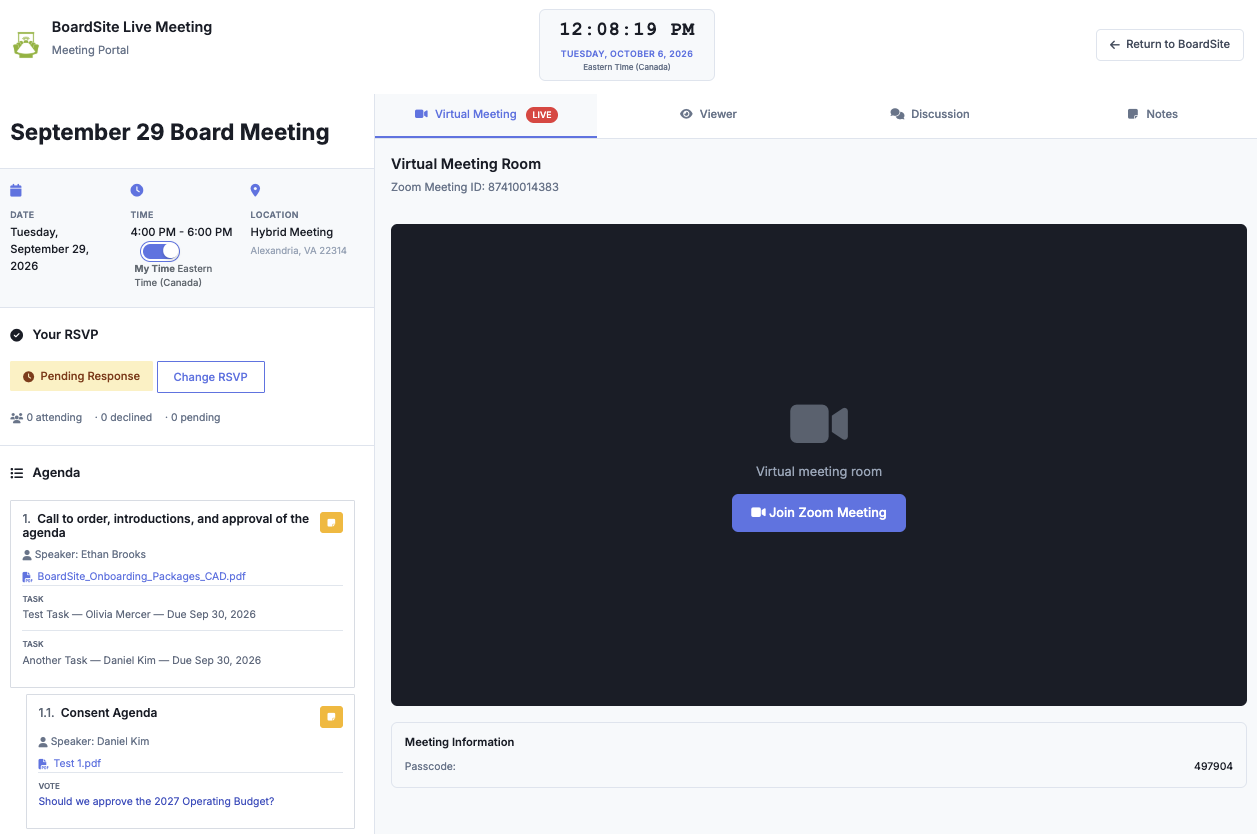
Launch the call from the meeting record.
Add Zoom or Microsoft Teams to the BoardSite meeting, then let participants join from the Meeting Viewer while the agenda and supporting materials remain in view.
Join Zoom or Microsoft Teams
Members open the Virtual Meeting tab and launch the approved conferencing link without searching through email. Administrators control whether the meeting link is shared with participants.
Keep meeting context beside the call
The agenda, packet, documents, discussion, and notes remain part of the same Meeting Viewer, so the video call stays connected to the board record.
See BoardSite in action.
See how BoardSite fits your board, your records, and the way your team works today.