
Archiving removes a document from active document views without immediately deleting it. Users whose role includes document-archive management can review archived documents, restore them, or permanently delete them.
Archive a document #
- Open Documents and locate the document.
- Open its available actions and choose Archive.
- Confirm the archive action if prompted.
Review archived documents #
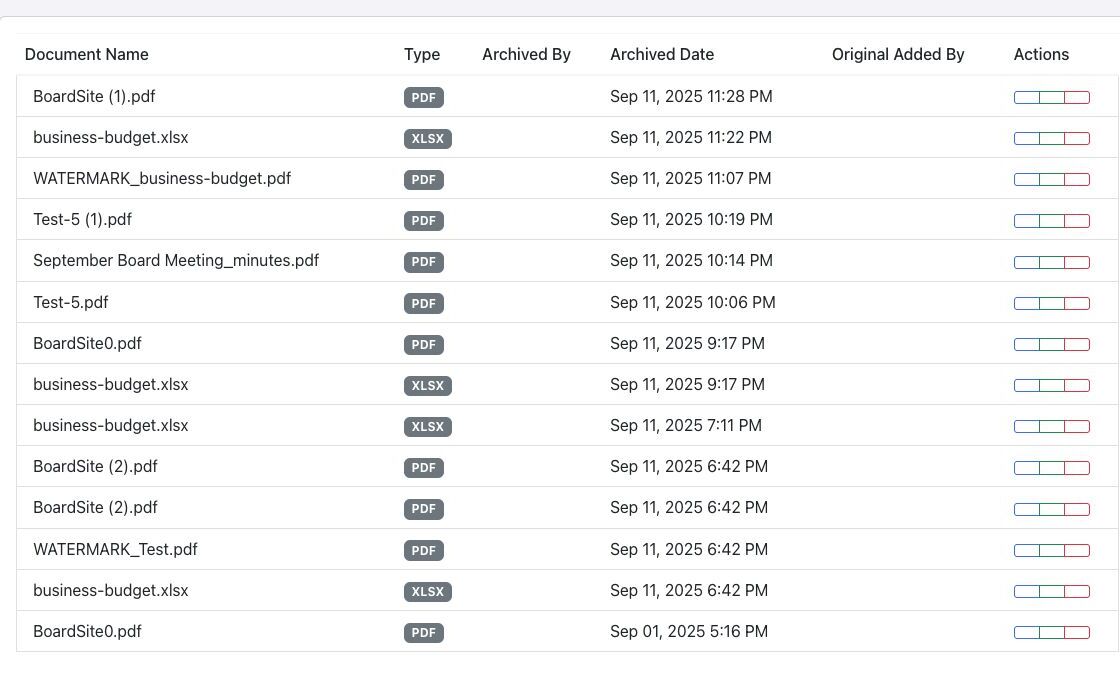
Open the document archive from Documents Manager. The archive records the document name and type, who archived and originally added it, and when it was archived.
Restore a document #
- Find the archived document.
- Select Restore.
- Return to Documents Manager and confirm that the document is active again.
Permanently delete a document #
Warning: Permanent deletion is destructive and is different from archiving. Verify the document, retention requirements, and any meeting references before selecting Permanent Delete. Follow the confirmation prompt only when deletion is authorized. Because archive access is capability-based, do not assume that the Director role always includes or excludes it.


