
The meeting workspace brings a meeting’s details, participants, materials, agenda, minutes, tasks, and collaboration tools together on one page. The controls you see depend on your role, permissions, committee access, and the meeting’s status.
Open a meeting #
- Sign in to BoardSite and select the correct organization.
- Open Meetings and choose the appropriate meeting list.
- Select the meeting you want to review or manage.
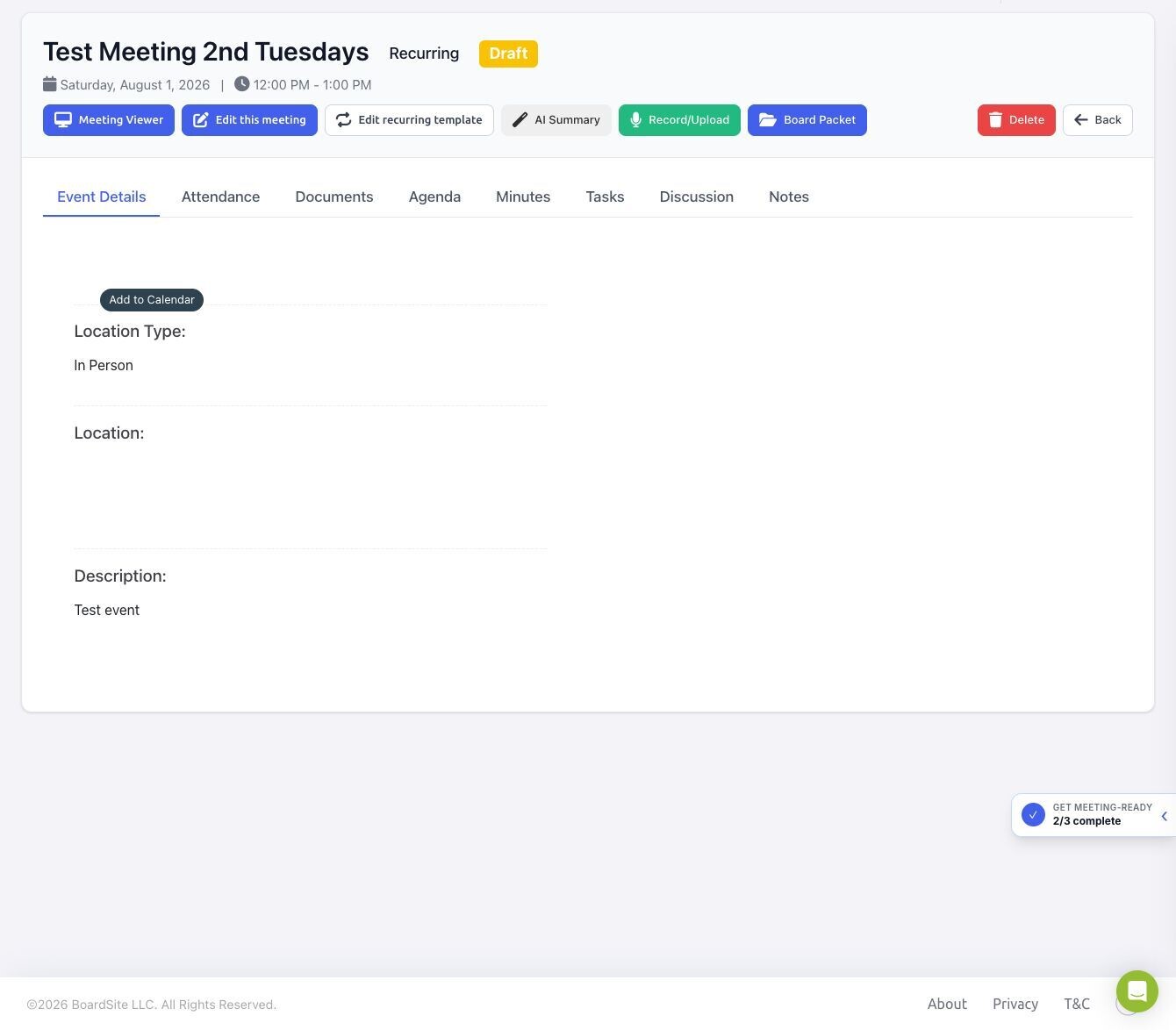
Use the workspace tabs #
- Event Details: review the date, time, location, description, and calendar option.
- Attendance: review RSVP totals and, if permitted, manage or export attendance.
- Documents: review or manage files attached to the meeting.
- Agenda: build or review the meeting agenda and linked materials.
- Minutes: prepare minutes and review meeting recordings or AI-generated transcription results when available.
- Tasks: review action items associated with the meeting.
- Discussion: open the meeting’s discussion area.
- Notes: keep meeting-related notes available to you in BoardSite.
Use the meeting actions #
Authorized users may also see actions above the tabs:
- Meeting Viewer opens the BoardSite Live Meeting experience.
- Edit this meeting changes only the selected meeting.
- Edit recurring template changes the recurring template when the meeting belongs to a series.
- AI Summary creates a summary from the meeting’s agenda and documents when the feature is available.
- Record/Upload records browser audio or uploads an existing recording for processing.
- Board Packet creates or downloads a combined packet.
- Delete permanently removes the meeting and should be used only by an authorized meeting manager.
Permission note: It is normal for two people to see different tabs or actions for the same meeting. If a control is missing, confirm the meeting status, committee membership, and your assigned permissions.


