
When a survey is open and you are included in its audience, BoardSite marks your response as Pending.
Submit your response #
- On the dashboard, look under Priority Actions for a Survey Due card and select Respond. If no card appears, open Surveys.
- Find an open survey whose Your Response status is Pending.
- Select View.
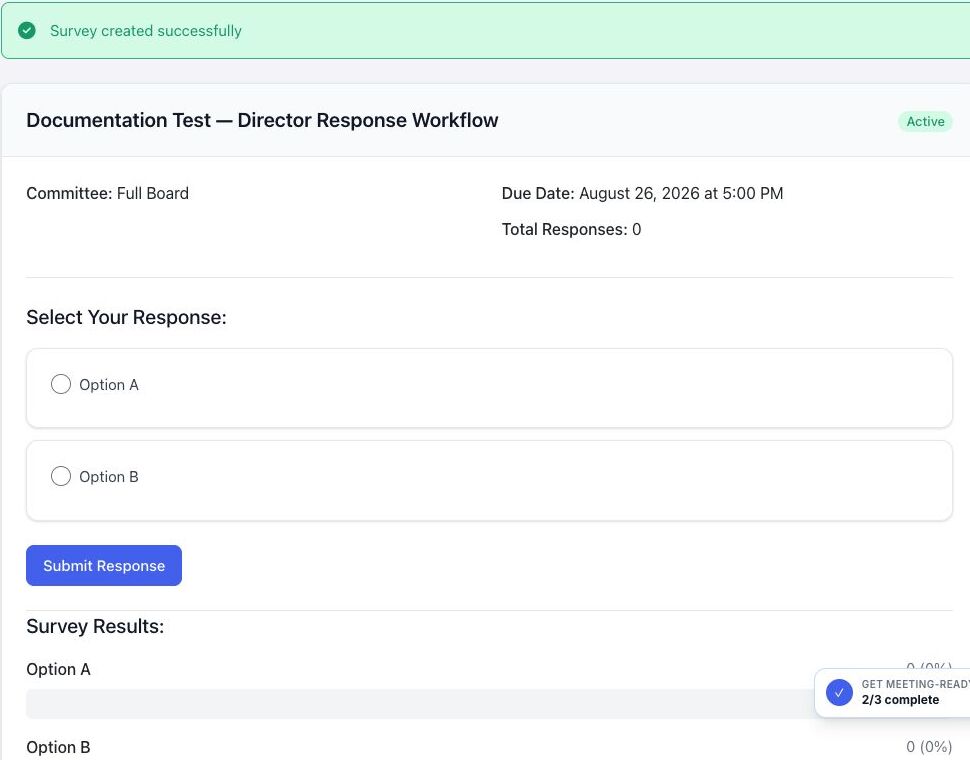
- Choose one available response option and submit your response.
- Return to the survey list and confirm that your status is Responded.
Dashboard tip: As the deadline approaches, the action card identifies when the survey is due. It disappears after you respond or when the survey stops accepting responses.
Confirm that BoardSite recorded the response #
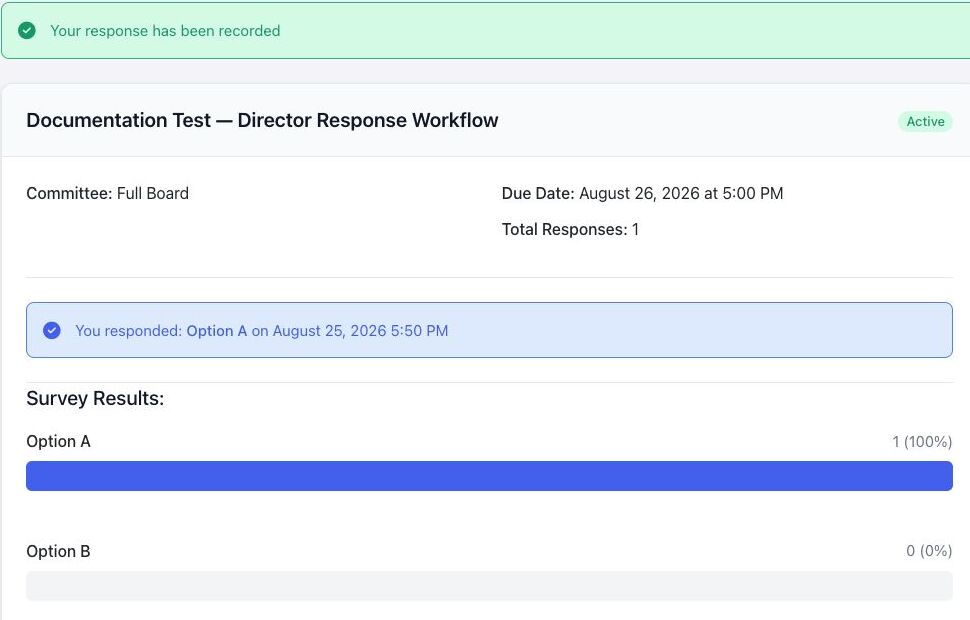
After submission, BoardSite displays Your response has been recorded, identifies the selected option and response time, and updates the total response count. The survey list then shows your status as Responded.
If you cannot respond #
- An expired or closed survey no longer accepts responses.
- You will not see a survey if its full-board or committee audience does not include you.
- If the survey should still be open, contact an administrator to verify its deadline and audience.
Survey results can show response totals, percentages, and respondent names. Do not assume a survey is anonymous unless BoardSite explicitly identifies it as anonymous.


