
Board Evaluations brings assigned evaluations, organization evaluation management, reusable templates, and analytics into one area. What you see depends on your effective evaluation permissions.
Open the Evaluations dashboard #
- Sign in to BoardSite and select the correct organization.
- Open Evaluations → Dashboard.
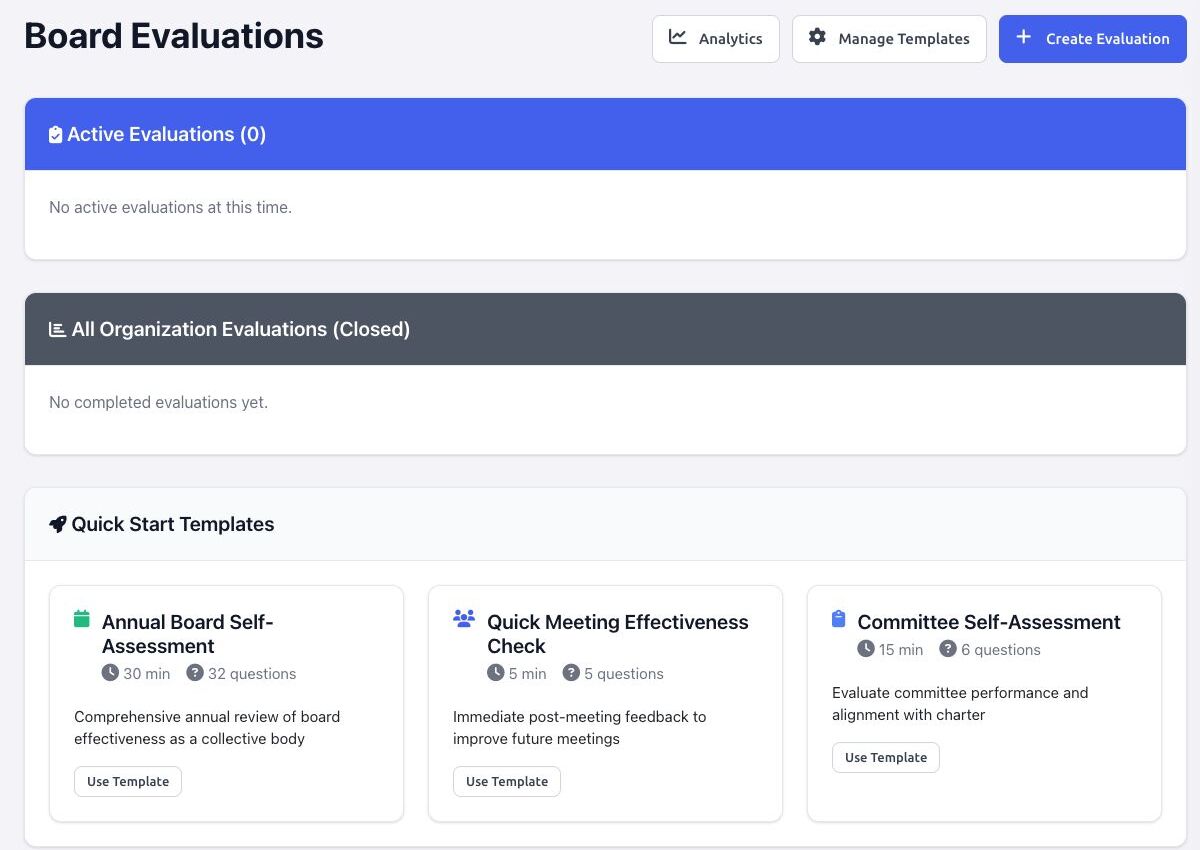
- Review the sections available to you:
- Active Evaluations shows evaluations currently available to you and your response status.
- My Completed Evaluations appears when you have submitted responses.
- All Organization Evaluations (Closed) is a management view shown only with results permission.
- Quick Start Templates offers common starting points for users who can create evaluations.
Actions for respondents #
- Start Evaluation opens a pending assignment.
- Continue returns to a saved draft and shows its completion percentage.
- Submitted confirms that the response is final.
- View Results appears only when your role can see that evaluation’s results.
Actions for evaluation managers #
- Create Evaluation defines an evaluation and its recipients.
- Manage Templates opens reusable templates and the question bank.
- Analytics summarizes organization-wide response and completion data.
- Manage or Details opens invitation progress and lifecycle actions.
Permission note: BoardSite uses separate capabilities for creating evaluations, managing templates, managing evaluations, and viewing results. A role name by itself may not predict which actions appear.


