
Meeting participants can update their own RSVP from Live Meeting. Authorized meeting managers can review responses, record attendance details, filter the attendee list, and export attendance from the meeting workspace.
Respond to a meeting invitation #
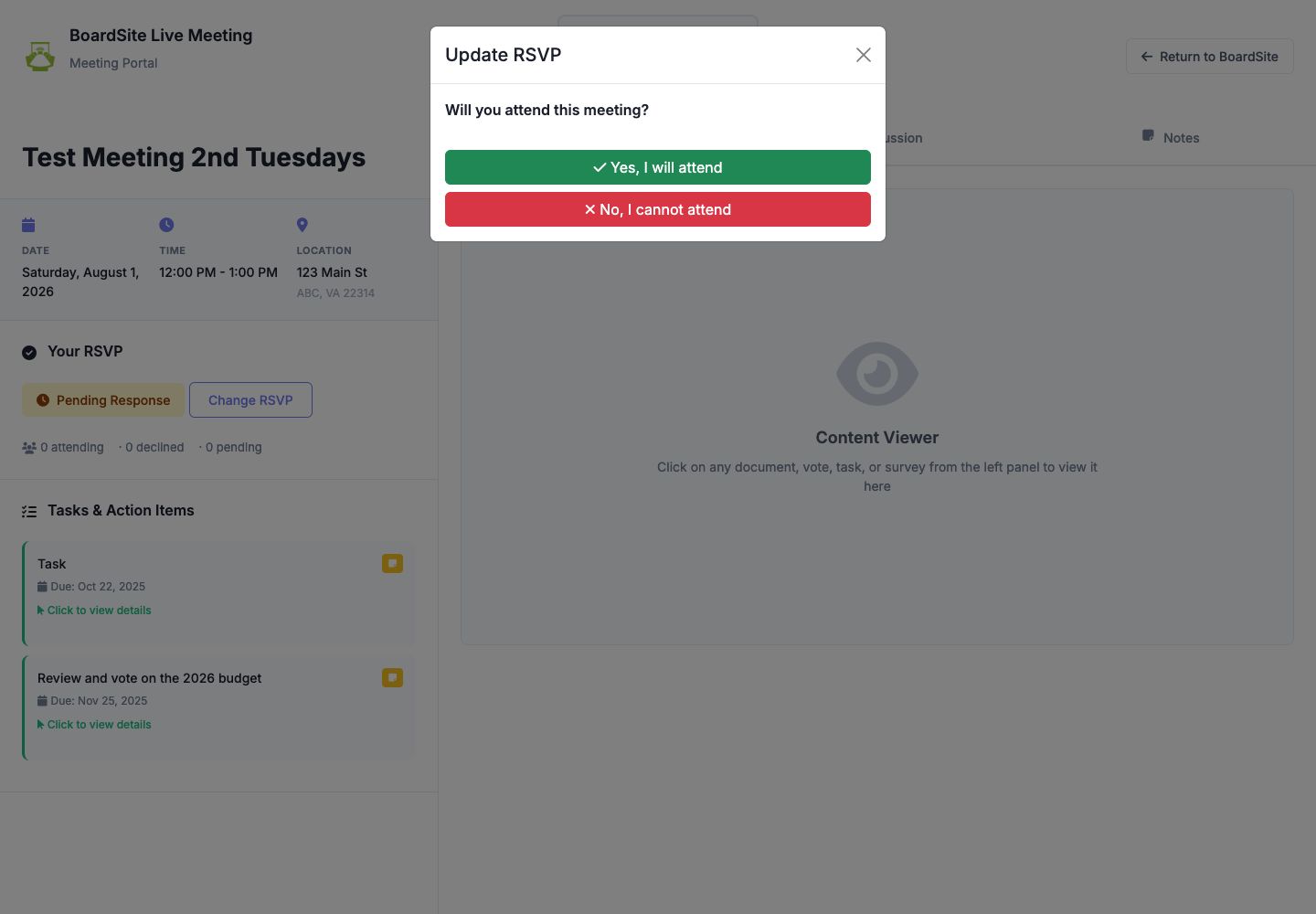
- On the dashboard, look under Priority Actions for RSVP Needed and select RSVP Now. You can also open the meeting and select Meeting Viewer.
- In Your RSVP, select Change RSVP.
- Choose Yes, I will attend or No, I cannot attend.
- For a hybrid meeting, choose whether you will attend in person or virtually when prompted.
- Confirm that the new status appears in Your RSVP.
Review attendance as a meeting manager #
- Open the meeting workspace.
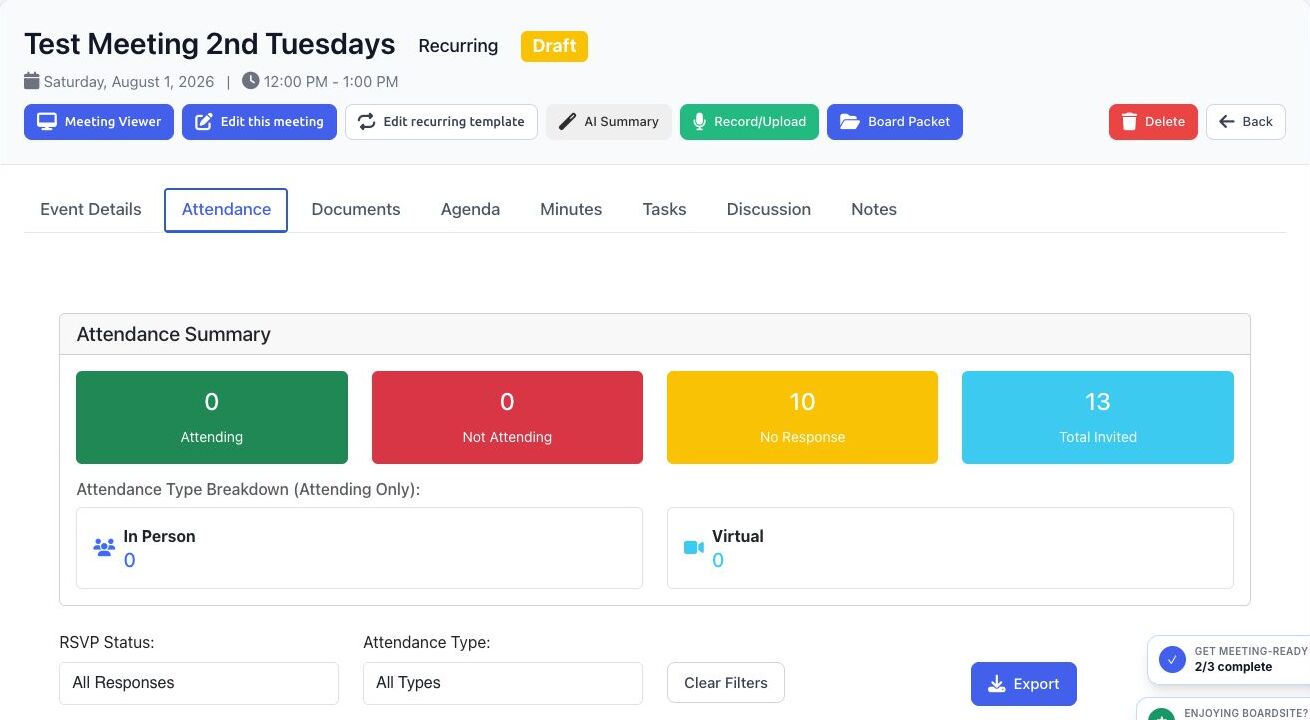
- Select Attendance.
- Review the summary totals for attending, not attending, no response, and total invited.
- For hybrid meetings, review the in-person and virtual breakdown.
- Filter by RSVP Status or Attendance Type. Select Clear Filters to restore the full list.
- Use the attendee search to locate a participant.
- If permitted, use the action beside a participant to set attending, not attending, or remove the recorded response.
- Select Export when you need a downloadable attendance record.
Accuracy tip: An RSVP records a participant’s plan. If your organization’s process requires confirmation of actual attendance, have an authorized meeting manager verify and update the final record.
Troubleshooting #
- If you cannot change your RSVP, confirm that you are signed in and permitted to view the meeting.
- If the attendance management actions or export are missing, ask an organization administrator to review your meeting permissions.
- If an invited participant is missing, confirm the meeting’s full-board or committee assignment and that person’s access.


