
Advanced Search helps you find information across meetings, votes, documents, agendas, minutes, members, and discussions. Results are limited to content you have permission to see.
Open Advanced Search #
- Sign in to BoardSite and select the correct organization.
- Use the Search box in the page header.
- Select Advanced Search.
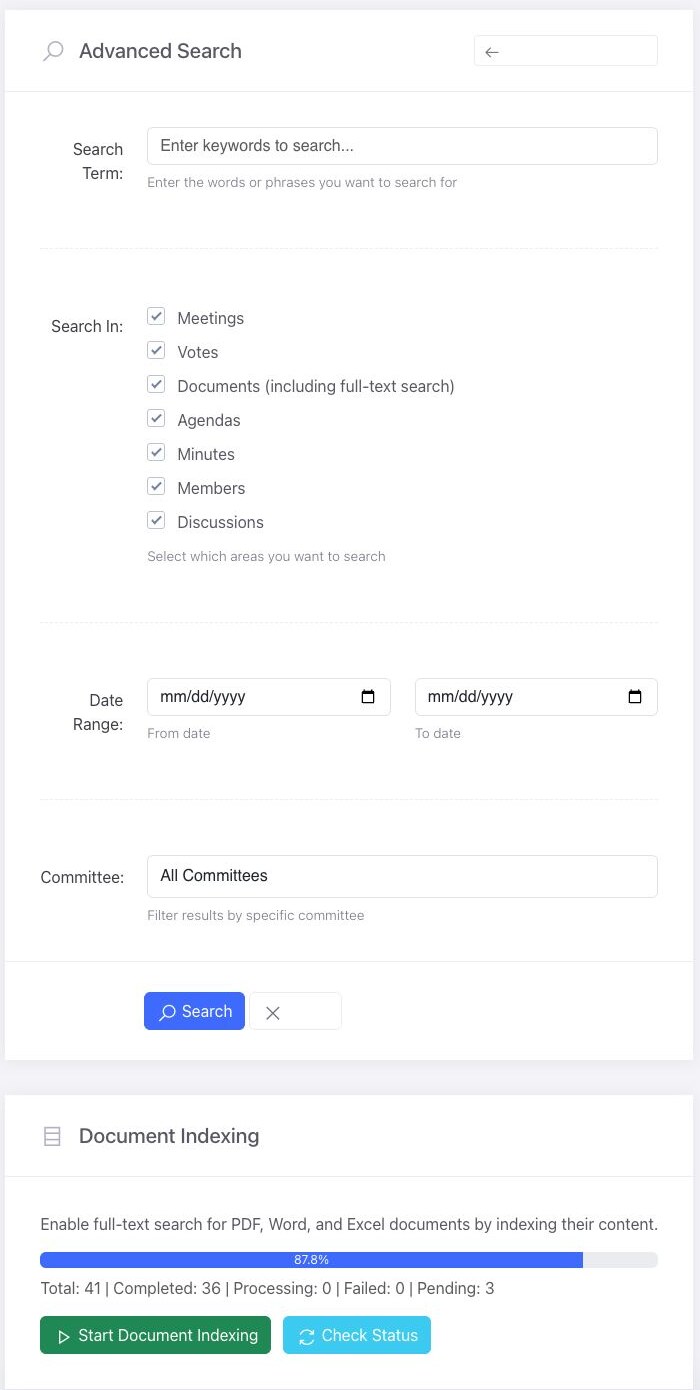
Build a search #
- Enter one or more words or a phrase in Search Term.
- Under Search In, keep only the content types you want to include. The available choices are Meetings, Votes, Documents, Agendas, Minutes, Members, and Discussions.
- Optionally enter a From and To date.
- Optionally select a Committee. Leave All Committees selected to search all committees available to you.
- Select Search.
Review the results #
BoardSite groups matches by content type. A search can also include Document Content Matches when full-text indexing has processed a supported document.
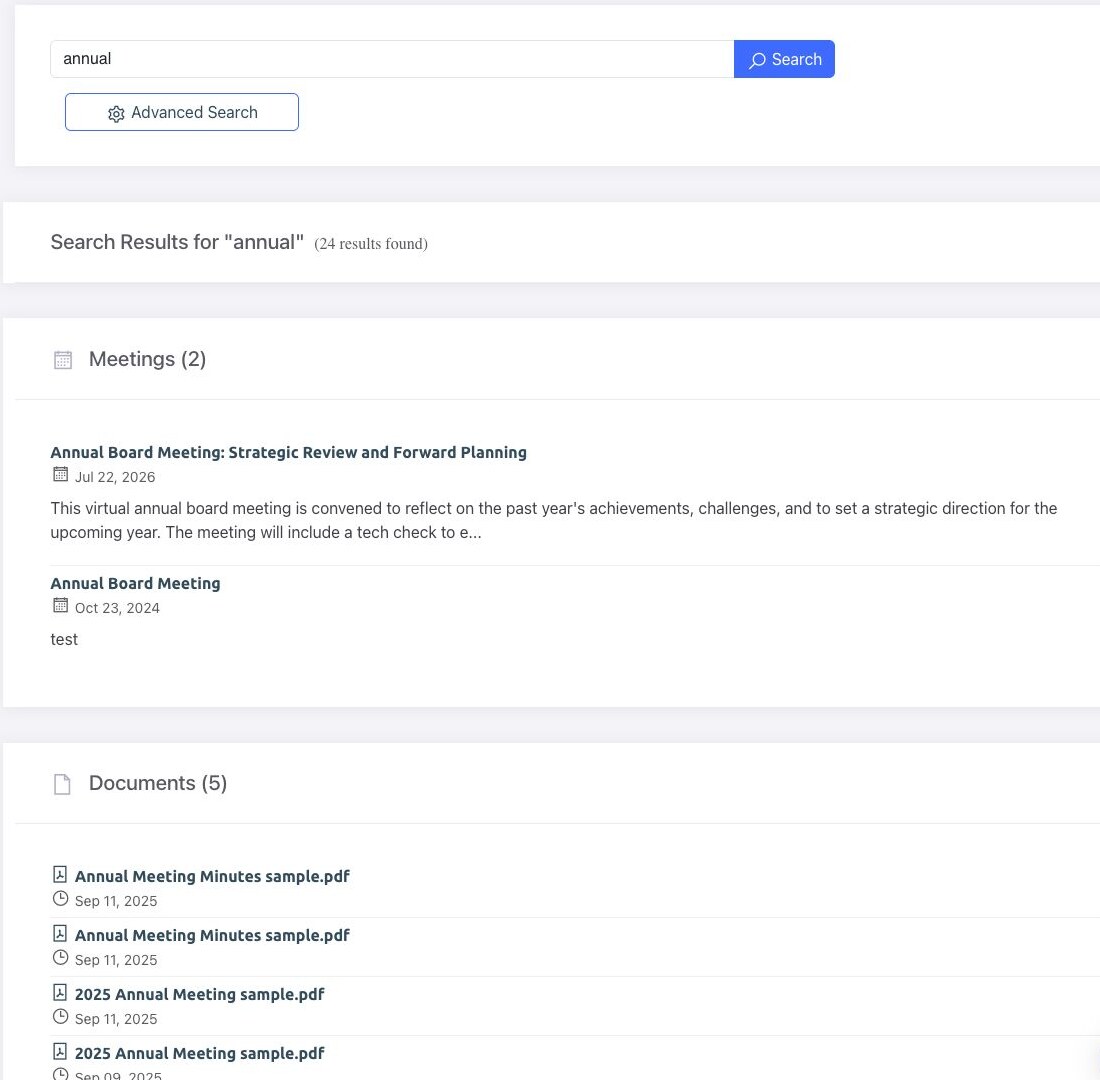
Permission reminder: Search does not grant access. If another member can find an item that you cannot, confirm your organization, committee membership, and the item’s visibility settings.
Tips for better results #
- Start with a distinctive word from the meeting title, document name, or topic.
- Remove content types that are not relevant when a broad search returns too many results.
- Use a committee filter for committee-specific records.
- Broaden or remove the date range if an older item is missing.
- If document titles appear but document text does not, the file may not be indexed, may be unsupported, or may still be processing.


