
BoardSite permissions are organized into role templates. Administrators can review each role and, when authorized, control the capabilities assigned to it.
Open a role #
- Open Members and select Permissions.
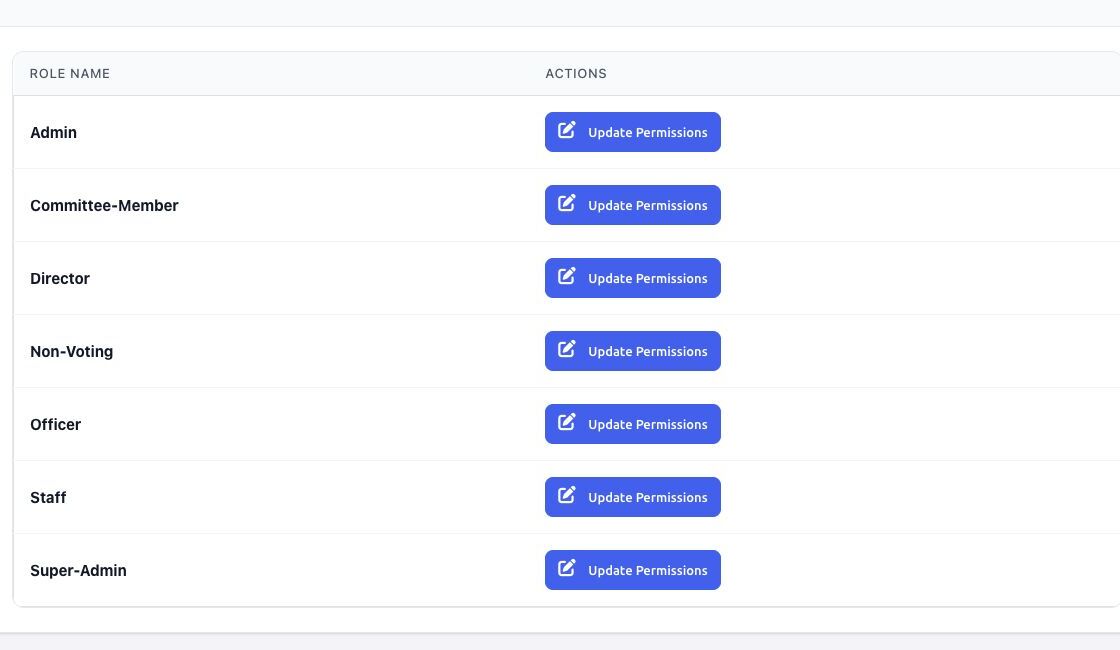
- Review the available roles, such as Director, Officer, Staff, Committee-Member, Non-Voting, Admin, and Super-Admin.
- Select Update Permissions beside the role you want to review.
Review the permission matrix #
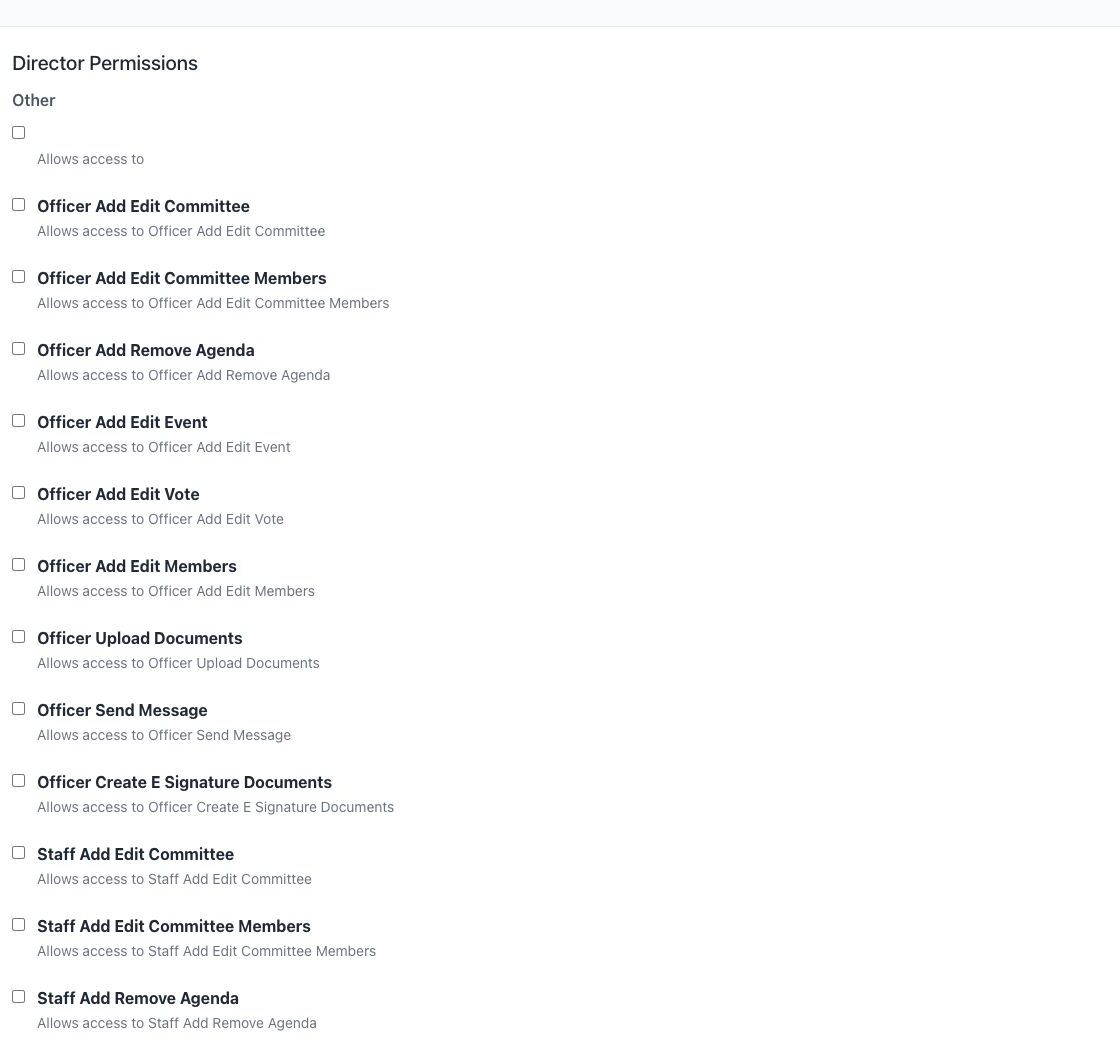
Permissions are grouped by capability, including meetings, documents, votes, members, committees, agendas, reports, billing, evaluations, and organization settings. A checked permission grants that role the named capability.
Update a role safely #
- Record the role’s current access before changing it.
- Enable only the capabilities members of that role require.
- Save the role.
- Test with a non-administrator account assigned to that role.
Security note: Some sensitive capabilities remain restricted to Super-Administrators, including managing permissions, managing billing, deleting an organization, cleaning up activity logs, and assigning the Super-Admin role. Do not broaden access solely to work around a navigation issue.
A role name does not by itself guarantee a fixed set of actions. Organization-specific templates can make selected management workflows available to Directors or other roles. Verify the effective permission matrix when a member’s navigation differs from these examples.


