
Evaluation templates define a reusable purpose, cadence, respondent type, anonymity default, and question set. BoardSite provides system templates that every organization can use or clone, while organization templates can be tailored to local needs.
Review available templates #
- Open Evaluations → Dashboard.
- Select Manage Templates.
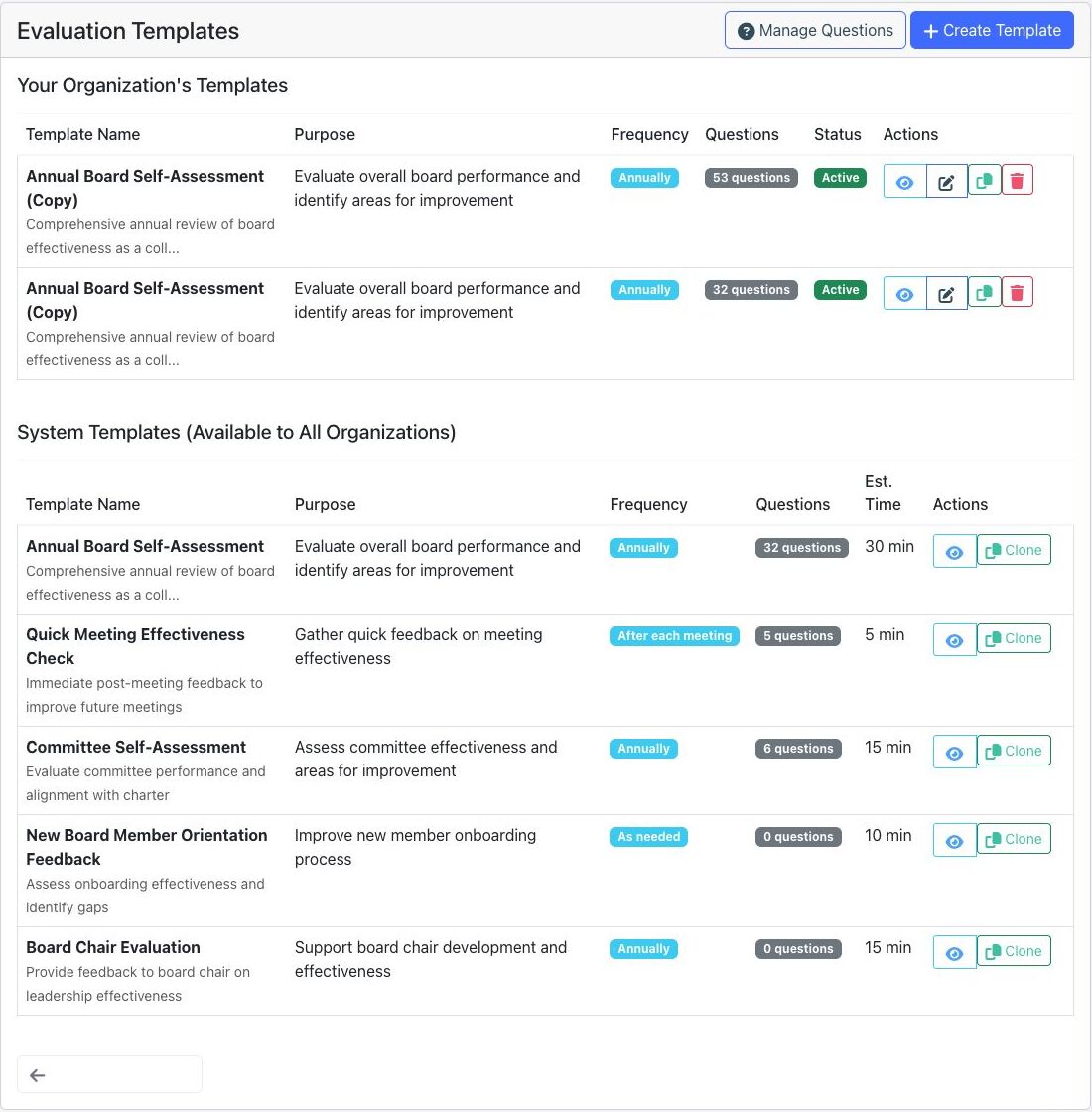
- Review Your Organization’s Templates and System Templates (Available to All Organizations).
- Use the available action:
- View reviews a template and its questions.
- Edit changes an organization template.
- Clone copies a system or organization template for local editing.
- Delete permanently removes an organization template; confirm it is no longer needed first.
Create a reusable question #
- From Evaluation Templates, select Manage Questions.
- Select Create Question.
- Enter the required Question Text.
- Choose a question type: Likert Scale (1-5), Rating (1-5 stars), Yes/No, Multiple Choice, Open-Ended Text, or Matrix/Grid.
- Select a required Category and add optional help text.
- Complete any type-specific options, then select Create Question.
Create a template #
- Select Create Template.
- Enter the required template name, purpose, and description.
- Choose a frequency: After Each Meeting, Monthly, Quarterly, Annually, Biannually, or As Needed.
- Enter the estimated completion time and choose the respondent type.
- Select Make responses anonymous by default when individual responses should not be identified in results.
- Select organization and system questions by category. Review the selected-question count.
- Select Create Template.
Design tip: Keep each template focused on one decision or learning goal. Preview it before launch and avoid changing question meaning between cycles when trend comparison matters.


