
Choose visibility when uploading #
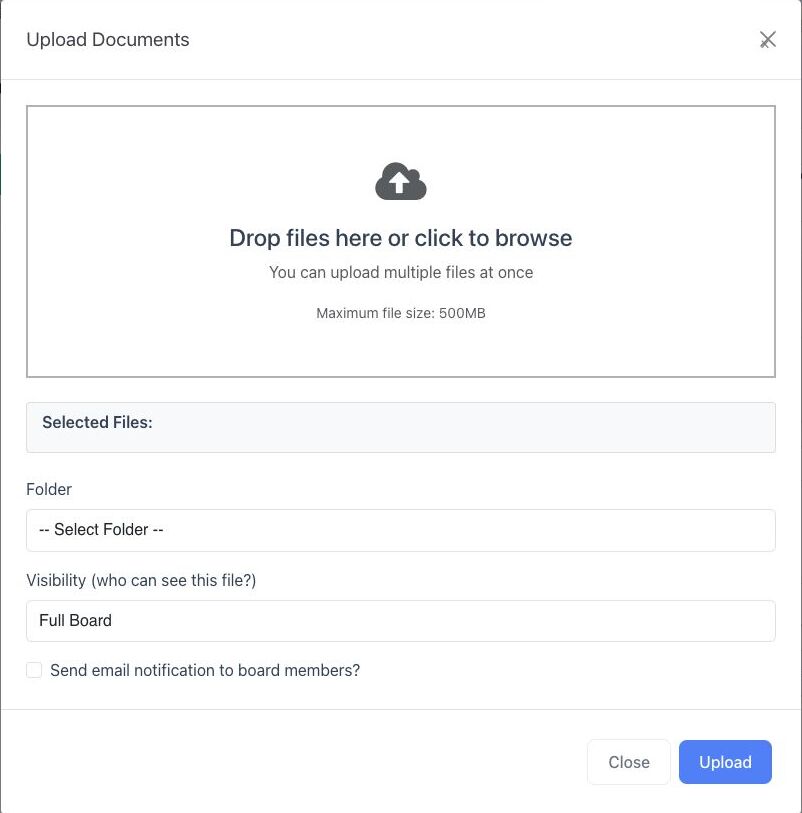
- Open Documents → All Documents and select Upload Files.
- Add the files to upload.
- Choose the destination Folder.
- Under Visibility (who can see this file?), choose Full Board or an available committee.
- Select the email-notification option only when the files are final and recipients should be notified.
- Review the files, destination, visibility, and notification choice before selecting Upload.
Change an existing document #
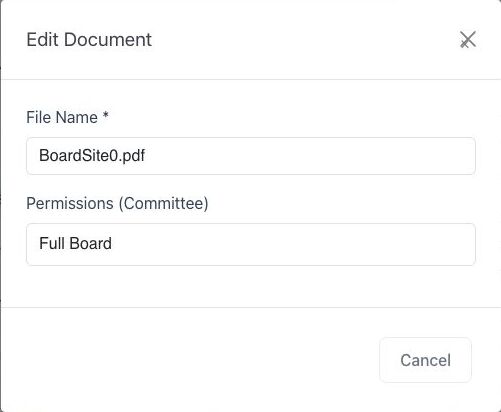
- Find the document in Documents Manager.
- Select Properties.
- Review or update Permissions (Committee).
- Select Update only after confirming the intended audience.
What the options mean #
- Full Board: the document is available to organization users whose role includes full-board document access.
- Committee: the document is limited to users with active membership and the required document access for that committee.
Folder and document visibility are separate settings. Keep them aligned. Moving a document into a committee folder should not be treated as proof that the document’s own committee permission changed.
Safe access checks #
- Confirm the active organization.
- Confirm the intended committee and active membership list.
- Review the folder permission and the document’s own Properties setting.
- Before sharing sensitive material, test with an appropriate non-administrator account when available.
Troubleshooting #
- If a committee is missing from a visibility list, confirm your permission to manage documents for that committee.
- If a member cannot find a file, confirm active committee membership and the document’s Properties setting.


