
Users with evaluation-results permission can monitor participation, compare evaluation performance, analyze question responses, and export results.
Review organization analytics #
- Open Evaluations → Analytics.
- Review total evaluations, active count, overall response rate, average completion time, and evaluations created this month.
- Use the response-rate trend and evaluations-by-type charts to identify changes over time.
- Review recent evaluation performance, top responders, and pending actions such as drafts to activate, overdue responses, or reminders to send.
- Select an evaluation title to open its management details.
Review one evaluation’s results #
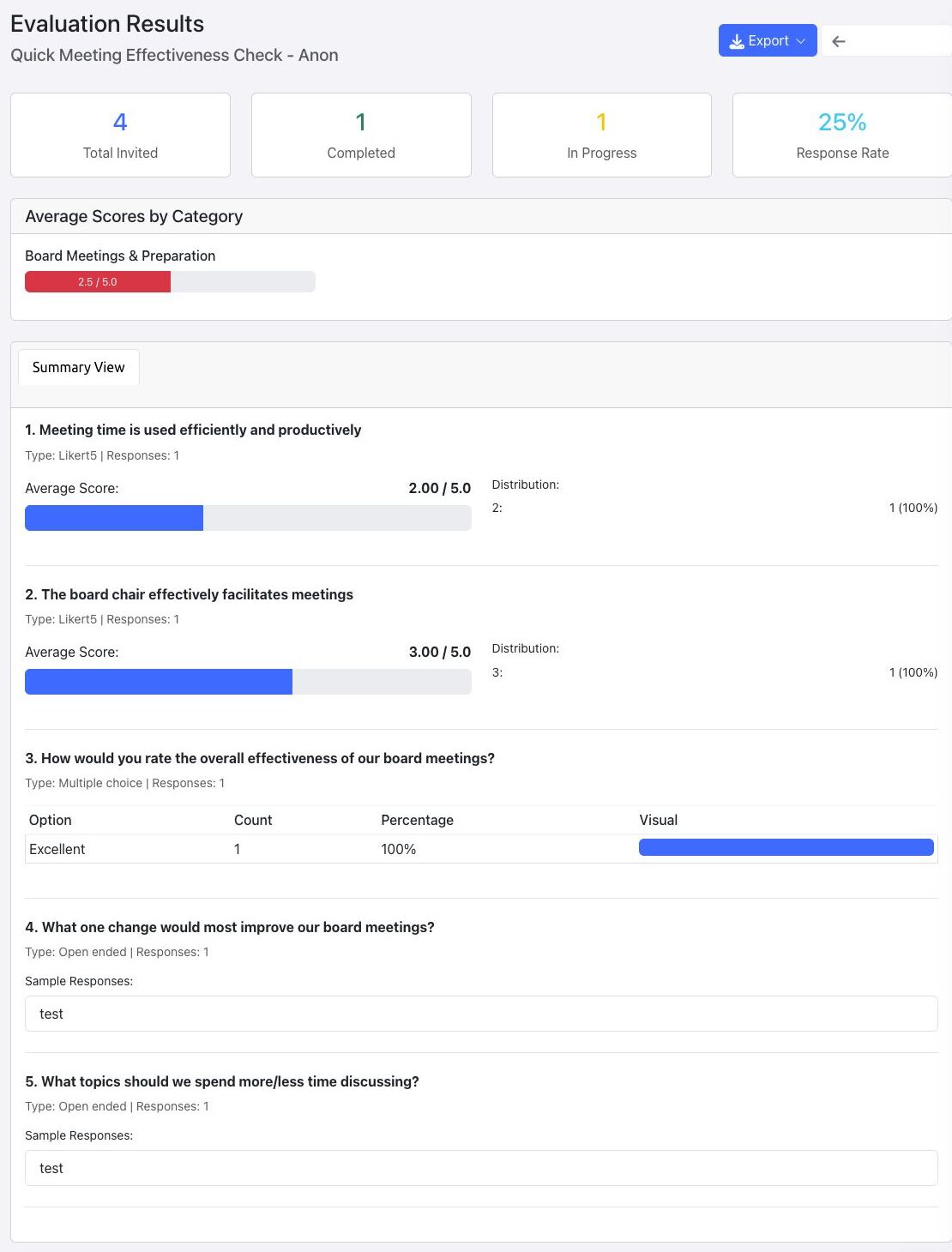
- From the evaluation detail page, select View Results.
- Review total invited, completed, in-progress, and response-rate totals.
- Review category averages and question-by-question summaries.
- For scored questions, review averages and distributions. For multiple-choice questions, review counts and percentages. For open-ended questions, review the displayed response samples.
- For a non-anonymous evaluation, use detailed and individual-response views only when your role is authorized to see identified answers.
Export results #
- Select Export from the results page.
- Choose PDF Report, Excel Data, or CSV Data.
- Store the downloaded file according to your organization’s privacy and records-retention rules.
Privacy note: Anonymous evaluations hide respondent identities, but small recipient groups and open-ended answers may still make a person inferable. Share and export results with appropriate care.


