
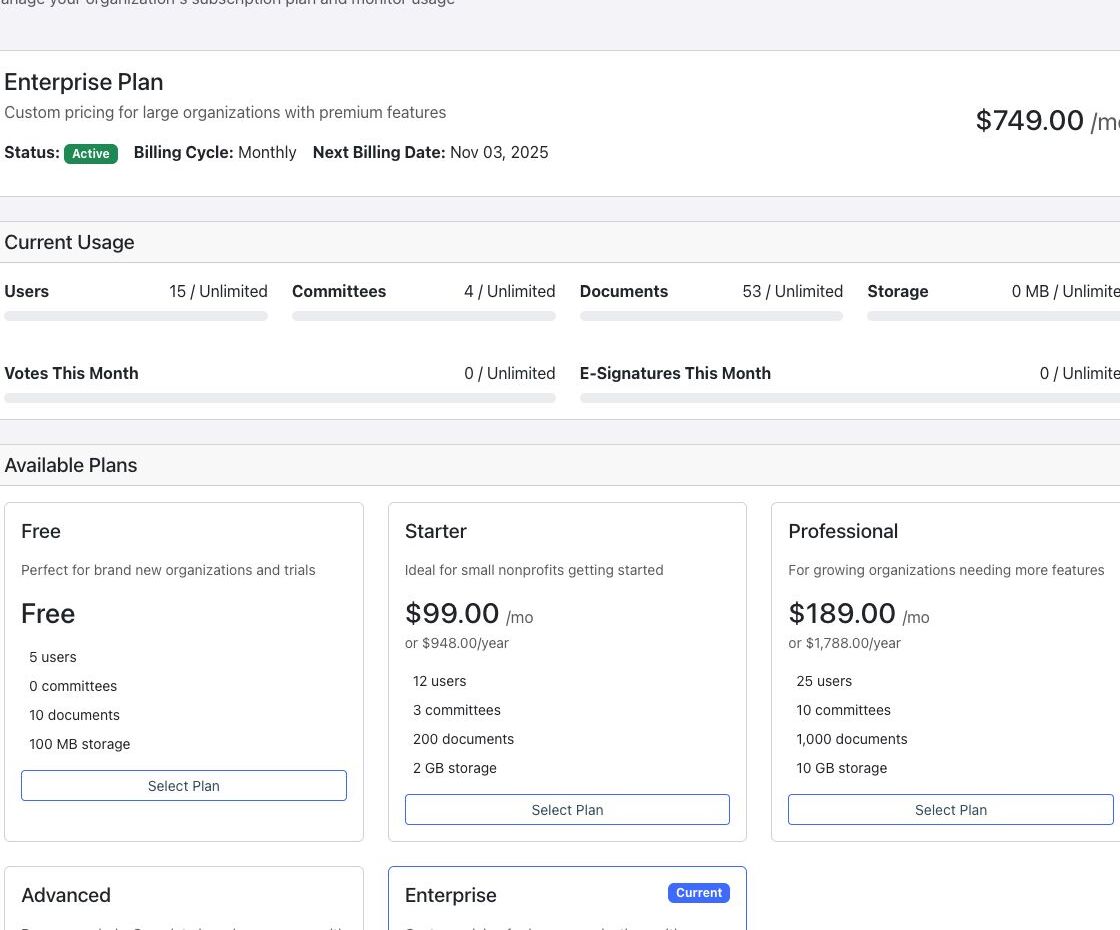
The Billing & Subscription page shows the organization’s current plan, billing status, renewal information, resource usage, and available plans. It requires the billing permission and was not available to the validated Director role.
Review current billing #
- Open Organization and select Billing.
- Confirm the current plan, status, billing cycle, and next billing date.
- Review usage for users, committees, documents, storage, votes, and e-signatures.
- Compare the current usage with the limits shown for the plan.
Review available plans #
Plan cards show the currently available monthly and annual options and their included limits. Pricing and limits can change; treat the values displayed in your signed-in Billing page as authoritative.
Billing warning: selecting a different plan can start a checkout or subscription-change workflow. Only a billing-authorized administrator should continue, and the effective price, billing period, and renewal terms should be reviewed before confirmation.


