
Manage your own push opt-in #
- Open your profile from the account menu. An authorized administrator can instead open Members > Current Members and edit the appropriate member.
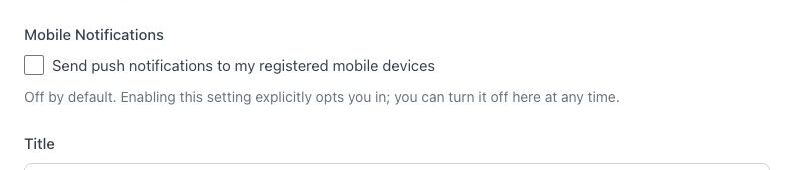
- Under Mobile Notifications, review Send push notifications to my registered mobile devices.
- Select the checkbox to opt in, or clear it to opt out.
- Select Update.
Review registered devices #
- Open Current Members and use the registered-device action for your account. An authorized administrator can use the same action for another member.
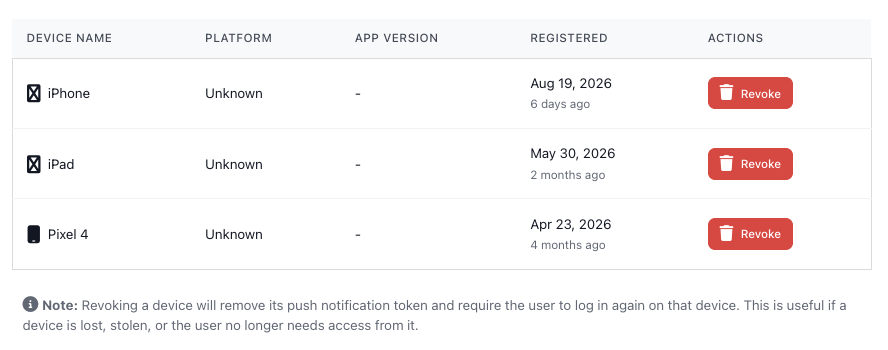
- Review the devices associated with the account. A device appears after the member logs in through the BoardSite mobile app.
Revoke a device #
Warning: revoking a device removes its push token and requires the member to sign in again on that device. Revoke only the exact device you no longer control or use. Administrators acting for another member should confirm the device with that member first.
If notifications do not arrive #
- Confirm the BoardSite opt-in setting is enabled.
- Confirm the device is registered and signed in.
- Confirm operating-system notification permission is enabled for the BoardSite app.
- Ask the member to sign out and back in if the registered device is stale.


